🧪 Coming soon. Beta testers are using Knovli Knotes now.
New Knovli Knotes
Every lecture, turned into everything you need to study
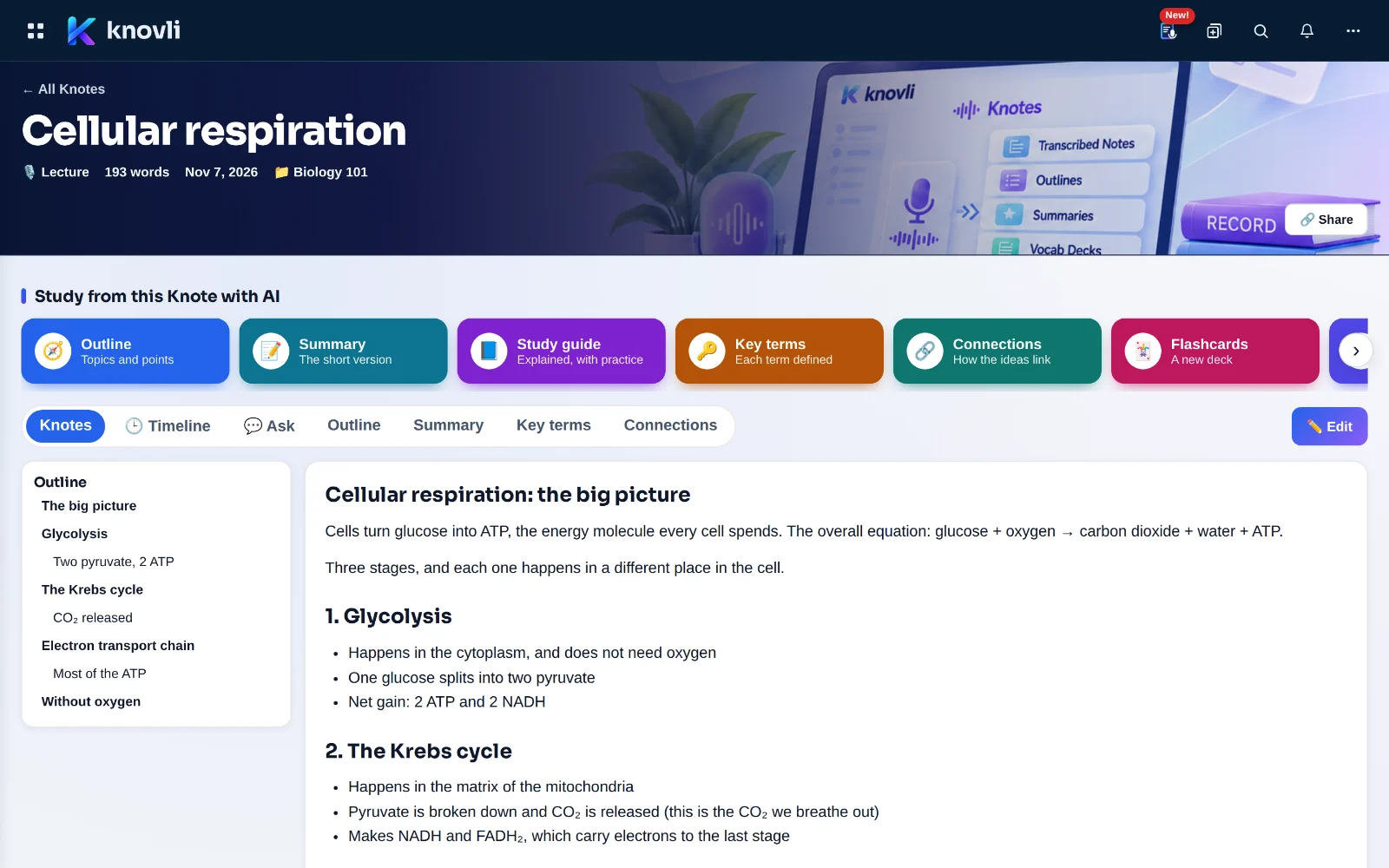
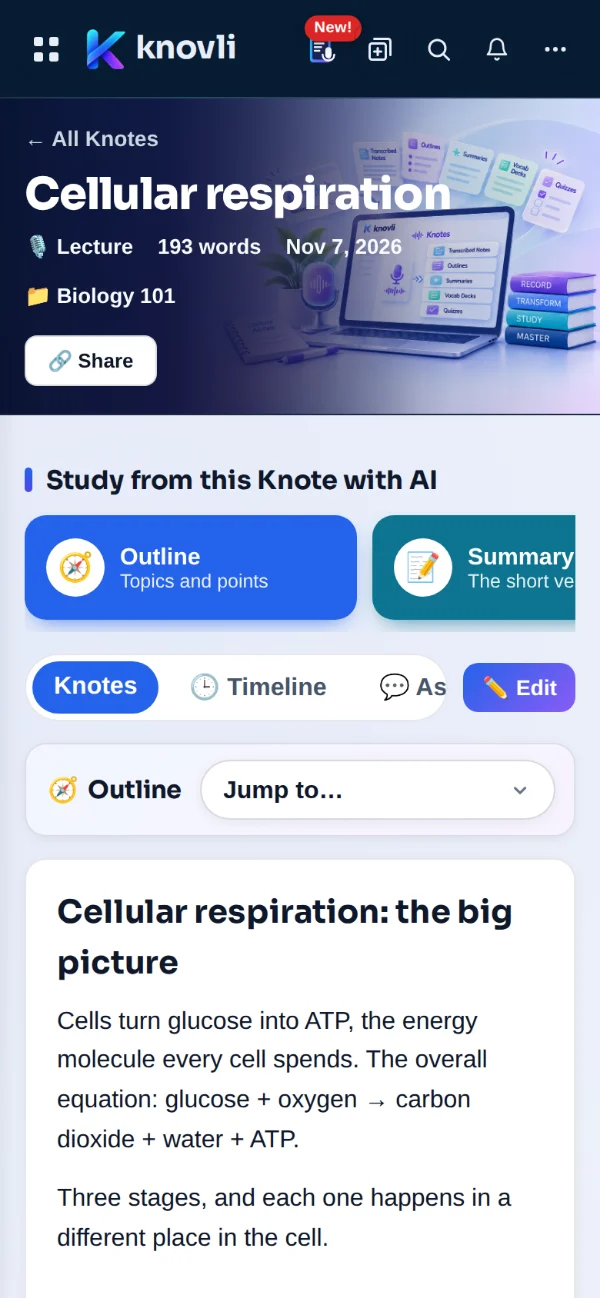
Record a class, upload a recording, scan your handwritten pages or just type. Knotes gives you clean, searchable notes, then makes outlines, summaries, study guides, flashcards and quizzes from them, and answers your questions with the exact line your teacher said.
Try Knovli Knotes Open my Knotes See how it works
Start with Knovli free See how it works
- 🎙️ Record a lecture
- ⬆️ Upload a recording
- 📄 PDF or Word
- 📷 Handwritten pages
- ⌨️ Type or paste
How it works
- 1
Capture it
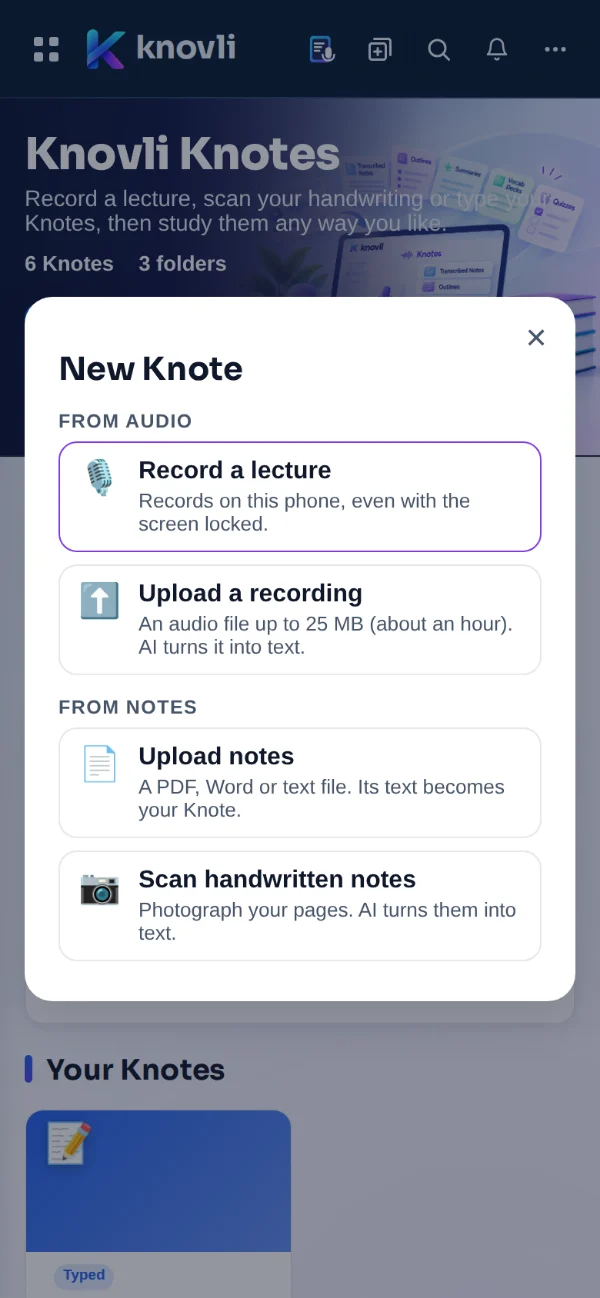
Record the lecture in the app, even with your screen locked. Or upload a recording, a PDF, a Word file, or photos of your handwritten notes.
- 2
Make it study-ready
Pick what you need: an outline, a summary, a study guide, key terms, connections, flashcards or a quiz. Each one tells you what it costs before it runs.
- 3
Ask and review
Ask anything about the lecture and get an answer from your own notes, with the line it came from and the moment it was said.
🎙️ Capture
However the class happens, it ends up in Knotes
- Record a lecture in the Knovli app for iPhone and Android. It keeps recording with the screen locked, and a reminder to ask first comes up before every recording.
- Turn it into text right on your iPhone, or with AI on any phone or computer.
- Upload a recording of up to 25 MB, about an hour of audio.
- Upload a PDF, Word or text file. It is read on your own device and becomes a Knote.
- Scan handwritten notes, up to 40 pages at a time, and AI turns them into text you can search.
🕒 Timeline
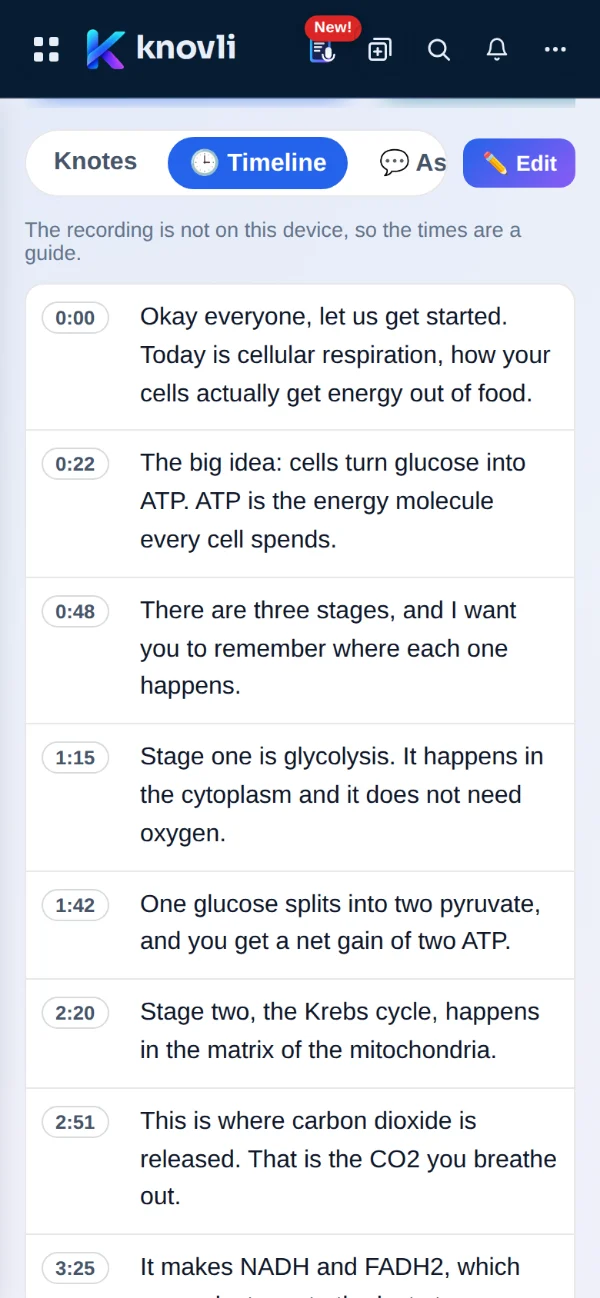
Every word, right where it was said
A recorded lecture keeps its times. Scroll the Timeline to find a part of the lecture, then tap a time to hear that moment again, when the recording is on your phone or saved to your account.
Missed what your teacher meant at minute 42? Tap 42:00 and listen again.
✨ Study tools
Seven ways to study one Knote

The main topics and the points under each. It also becomes a menu beside your Knote, so you can jump to any part.
The main idea in one short paragraph, then the points most worth remembering.
The ideas explained simply, the terms to know, and practice questions with answers.
Every key term, each with a one-sentence definition taken from your notes.
How the ideas link, inside this Knote and across the other Knotes in its folder.
A real Knovli deck, saved to your library and listed under the Knote, ready for every study mode.
Multiple-choice questions on the whole lecture, saved to your quizzes.
Changed a Knote after making cards? Knovli offers only the new cards or questions for you to look over. Cards you already have, and your progress on them, never change.
💬 Ask
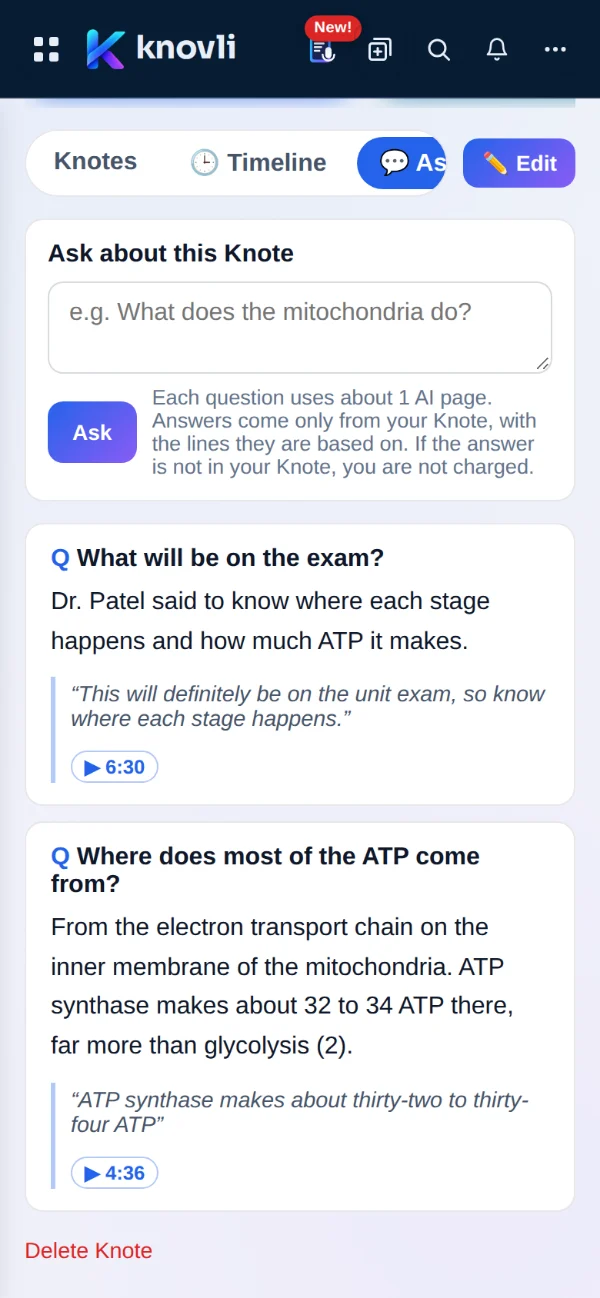
Ask your lecture anything
“What will be on the exam?” “What did she say about the Krebs cycle?” Ask in your own words and get an answer taken only from your Knote.
- Every answer quotes the lines it is based on. Tap one to jump to it in your notes.
- From a recorded lecture, tap ▶ to hear the moment it was said.
- If the answer is not in your Knote, Knovli says so, and that question costs you nothing.
📁 Folders and Connections
See how the whole unit fits together
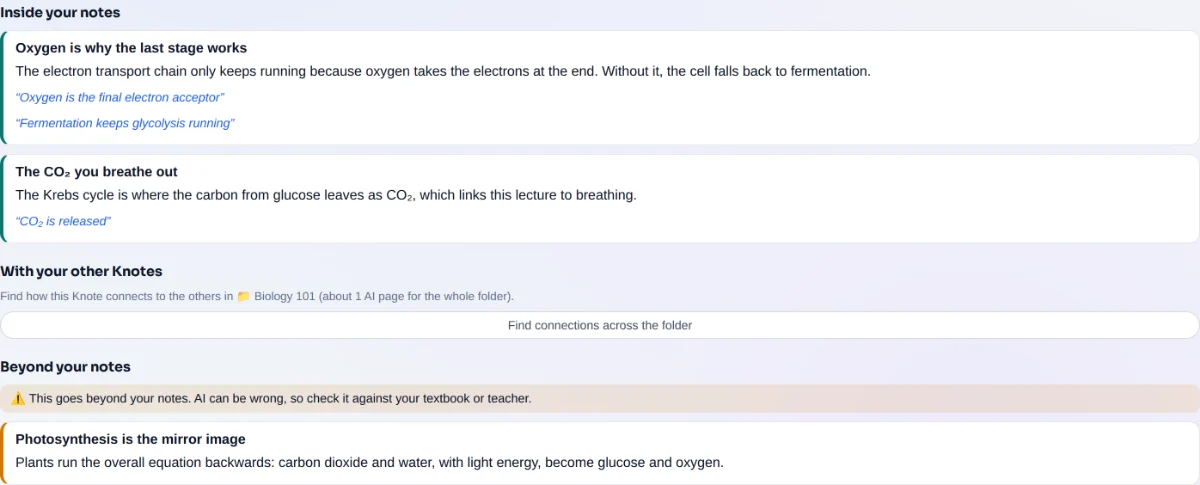
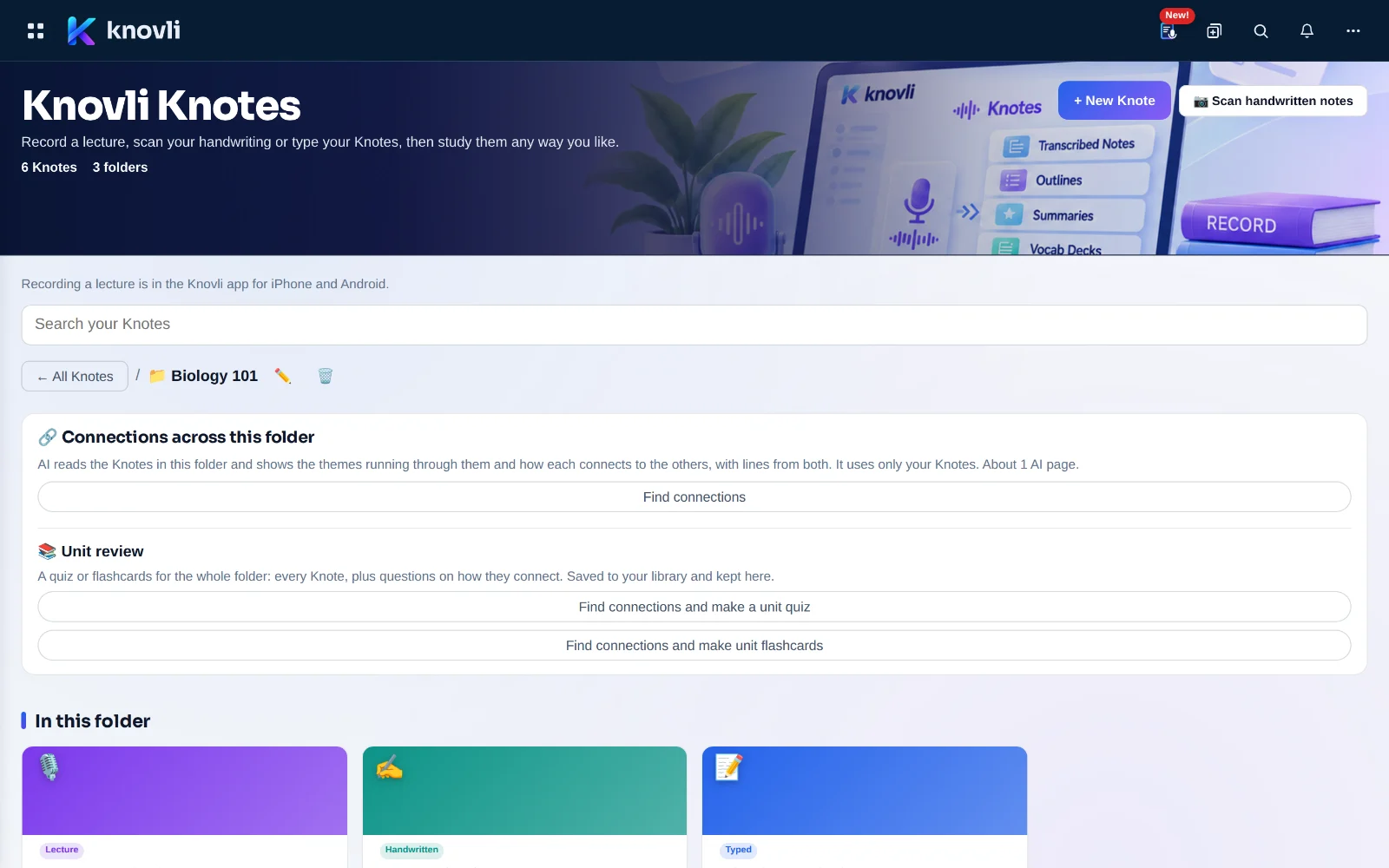
Keep each class in a folder. Connections shows how the ideas in a Knote link to each other and to the other Knotes in its folder. When the test is close, make a unit review: one quiz and one deck from the whole folder.
Ideas from beyond your notes are kept apart and clearly marked, so you always know what came from class.
👩🏫 For teachers
Share your notes with your class
Share a Knote with any of your classes. Your students read the notes and the study materials made from them, with no plan of their own needed. The recording and your Ask questions are never shared.
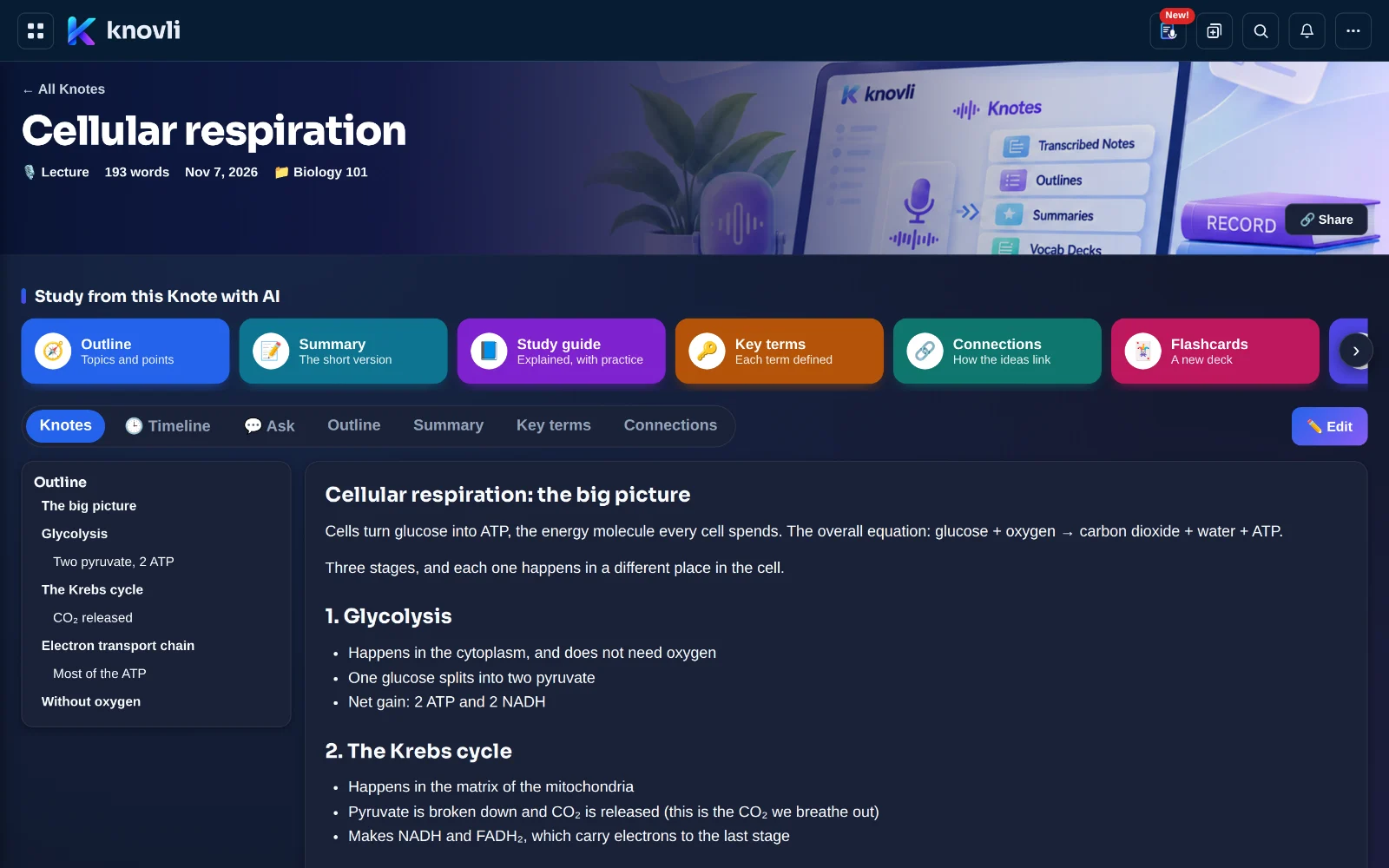
On the web and in the Knovli app for iPhone and Android, in light or dark. Your Knotes are the same everywhere you sign in.
Your notes, your call
- 🔒 Private by defaultOnly you can see a Knote until you choose to share it.
- 🙋 AI only when you askNothing goes to AI until you tap a tool and confirm. Each one shows its cost first.
- 🎙️ Recording with respectA reminder to get permission comes up before every recording. Recordings stay on your phone unless you save them to your account.
- 🧠 Not used to train AIYour notes and recordings are used only to make what you asked for.
- 🗑️ Delete any timeDelete a Knote or a recording whenever you like. Deleting your account deletes them all.
- 🎂 Ages 13 and upKnovli Knotes is for students 13 and older.
Read the details in our Privacy Policy.
What it costs
Knovli Knotes comes with the Knovli plans that list it on the Pricing page. Writing, organising, searching and reading your Knotes uses nothing. The AI tools, AI transcription and scanning use AI pages from your plan’s monthly allowance, and every one tells you how many before it runs. AI transcription is 1 AI page for every 2 minutes of audio.
Common questions
Do I need the app?
Only to record a lecture. Uploading a recording, uploading or scanning notes, typing, and every study tool work on the web at knovli.com too, and your Knotes are the same everywhere you sign in.
Am I allowed to record my class?
Rules on recording differ by state, school and instructor. Knovli reminds you before every recording to ask your teacher or the speaker first, and to tell anyone else who may be heard.
Who can see my Knotes?
Only you. A Knote is shared only if you share it: by a link that people signed in to Knovli can open, or, for teachers, with your own classes. A recording is never shared, and neither are your Ask questions.
What if the AI gets something wrong?
Answers in Ask come only from your Knote and quote the lines they rest on, so you can check them. Ideas from beyond your notes in Connections are kept separate and clearly marked.
Will updating a Knote change my flashcards?
No. When a Knote changes, Knovli offers only new cards or questions for you to look over. Existing cards, questions and your progress on them stay exactly as they are.
How old do I need to be?
Knovli Knotes is for ages 13 and up.